Cost guides
How much does a WMS cost? The six buckets behind a quote

A WMS quote is made of six cost buckets: subscription or licence, implementation, integrations, training, change requests and hardware. A quote that shows only a monthly fee can hide most of the project. This guide lists the buckets so you can ask every vendor the same questions and put the answers side by side. We do not give prices, because prices depend on your building, your volume and the vendor, and any number we invented would mislead you.
The six cost buckets
1. Subscription or licence
This is the headline figure. Subscription products charge on a recurring schedule, often based on a measure such as users, sites, order volume or something similar. Licensed products charge for the right to run the software, sometimes with a separate yearly maintenance fee. Custom builds charge for the build itself. Ask exactly what the price is based on, and what happens to it when that measure changes.
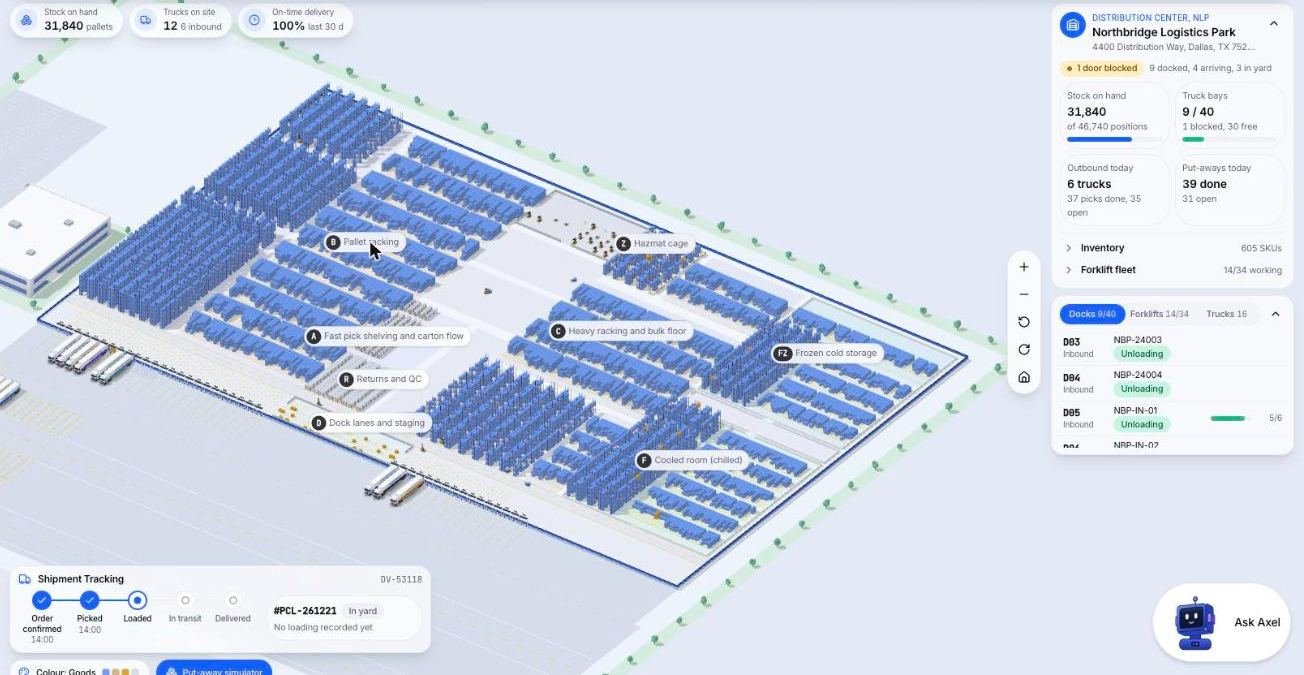
Here is a screen from the Microsive demo platform, using demo data. It shows the kind of overview you can ask a vendor to put in front of you when you ask what the subscription line actually includes.
2. Implementation
Getting the system running is rarely part of the headline figure. It covers configuration, loading your item and location data, setting up workflows and testing before go-live. Ask whether implementation is fixed in price or billed by time, and who on your side must be involved.
3. Integrations
Your WMS will probably need to talk to other systems: an ERP or accounting package, storefronts, carriers, EDI partners. Some connections are included, some are extra, and some are built to order. List every system you need connected and ask for each one to be quoted by name.
4. Training
People need time to learn a new system. Ask what training is provided, in what form, and what refresher help costs later. Count your own staff hours too, since the time off the floor is a cost even when the vendor does not charge for it.
5. Change requests
Requirements change. You add a client with an unusual rule, or you want a new report. Ask how changes are requested, who decides priority, and how they are priced. On a subscription product, you may be waiting for the vendor's roadmap. On a custom build, you can usually ask for the change directly, and it will be quoted.
6. Hardware
Scanners, label printers, tablets, network coverage and sometimes dock-side screens. Hardware cost is mostly the same whichever software you choose, but check what the software supports so you do not replace equipment unnecessarily.
How the price scales as you grow
The total changes as your business grows, but not always in the way you expect. Ask each vendor to walk you through these scenarios in writing:
- You hire more staff. Does the price depend on the number of users or logins? If it does, each new hire changes the bill.
- You add a building or a site. Is a new location a new fee, a new tier or nothing?
- Your order or pallet volume rises. Some pricing follows volume. Find out where the steps are.
- You add clients (if you are a 3PL). Check whether the price is tied to the number of client accounts.
- You add vehicles or other assets. If the software prices per truck, fleet growth affects the cost.
- You need another integration. Ask whether new connections are included or quoted separately.
The point is not that one model is cheaper. It is that you can only compare once you have asked the same growth questions of every vendor, and written the answers down with a date.
One-time build vs subscription
Cargohold, which we make, is a one-time custom build, no per-seat, per-truck or per-client fees. The blank table below is a template to fill with written quotes for each option, one column per route.
| Cost area | Subscription product | One-time custom build |
|---|---|---|
| Headline price | ||
| Price when you add users | ||
| Implementation | ||
| Integrations | ||
| Training | ||
| Change requests | ||
| Hardware | ||
| Support after launch | ||
| Ownership of code and data |
A short checklist before you sign
- Get every bucket quoted in writing, with the date of the quote.
- Ask the growth questions above and record the answers.
- Ask what you can take with you if you leave: your data, and in a custom build, the code.
- Compare totals over the same period for every option, using your own numbers.
Questions people ask
What costs make up a WMS quote?
Six buckets make up a quote. They are subscription or licence, implementation, integrations, training, change requests and hardware.
Why does a monthly fee not tell me the total?
A monthly figure can hide most of the project. Implementation, integrations, training and hardware are often priced separately.
How does the price change as my business grows?
It depends on what the vendor measures, such as users, sites, order or pallet volume, client accounts, vehicles or integrations. Ask each vendor to walk through these scenarios in writing.
What should I do before signing a WMS contract?
Get every bucket quoted in writing with the date, ask the growth questions, ask what you can take with you if you leave, and compare totals over the same period using your own numbers.
Does WMS pricing depend on the number of users?
It can. Ask whether the price depends on users or logins, because if it does each new hire changes the bill. Also ask about sites, order or pallet volume, client accounts, vehicles and integrations.
How do I compare a one-time build with a subscription?
Fill in the same table for each route, one column per option, using written quotes. The rows are headline price, price when you add users, implementation, integrations, training, change requests, hardware, support after launch and ownership of code and data.
Sources
- No third-party prices or vendor claims are used on this page. Collect written quotes from each vendor and record the quote date.